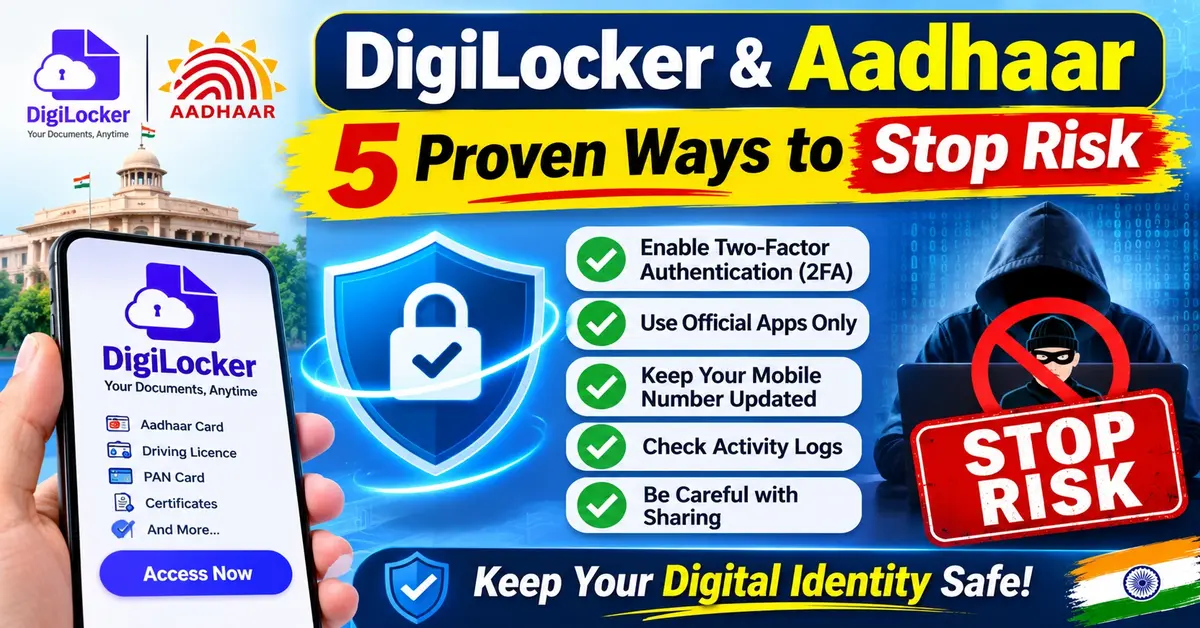
DigiLocker and Aadhaar
DigiLocker is a Digital India platform run by the Ministry of Electronics and Information Technology (MeitY). It lets Indian citizens store and share official digital records.
When you link it with Aadhaar, DigiLocker verifies your identity through UIDAI (Unique Identification Authority of India). It then pulls tamper-evident, digitally signed documents—including your e-Aadhaar—directly from issuing government agencies.
Key Takeaways
- Legally equal to originals: Documents in DigiLocker’s Issued Documents section carry the issuing authority’s digital signature. Under the Information Technology Act, 2000, they are legally valid at par with original paper documents.
- One identity, zero duplicates: Linking Aadhaar confirms you are the real owner of a certificate. This stops someone with the same name or birth date from misusing your record.
- Consent comes first: Third-party organizations cannot see your DigiLocker records unless you approve the request. You do this through OAuth 2.0 (a secure permission standard) and PKI-backed (Public Key Infrastructure) consent screens.
- Independent security audits: The platform meets ISO 27001:2022 security standards. It also goes through regular security audits by agencies approved by CERT-In (India’s national cyber security agency).
- Optional, not mandatory: Using DigiLocker is completely voluntary. However, linking Aadhaar unlocks automatic access to your digital Aadhaar and many government-issued certificates.
Introduction
Carrying folders of attested photocopies for a driving licence check, college admission, or bank KYC (Know Your Customer identity check) used to be a routine part of life in India. Paper photocopies are easy to lose, slow to verify, and easy to tamper with.
To fix this, India built DigiLocker as a core part of its Digital Public Infrastructure (DPI)—shared digital systems built for the public, alongside Aadhaar for identity and UPI for payments.
In this guide, you will learn what DigiLocker is, how Aadhaar verification powers it, how digital signatures and consent-based sharing protect your privacy, and how to fix common linking problems.
What Is DigiLocker and How Does It Connect to Aadhaar?
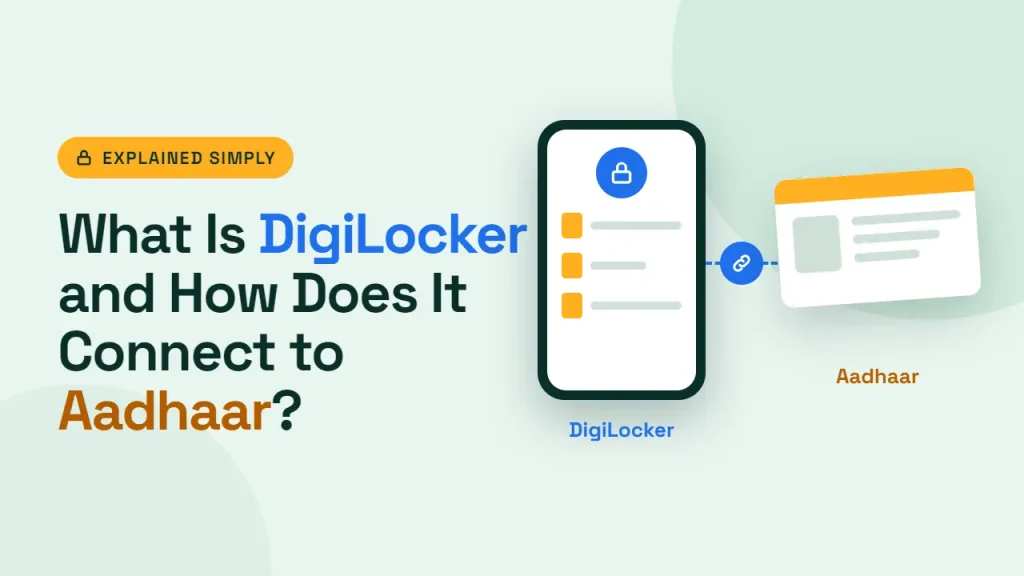
DigiLocker is a cloud-based digital document wallet operated by the National e-Governance Division (NeGD) under MeitY. Instead of storing scanned photos of paper certificates, it connects directly to the databases of government departments, education boards, and transport authorities.
Aadhaar, managed by UIDAI, provides the 12-digit unique identity layer. When you link Aadhaar to DigiLocker, three things happen:
- Identity Verification: DigiLocker uses UIDAI Aadhaar authentication to confirm who you are. This usually happens through an OTP (one-time password) sent to your Aadhaar-registered mobile number or through biometric verification.
- Automatic e-Aadhaar Access: Through a direct partnership between DigiLocker and UIDAI, your Digital Aadhaar appears automatically in your Issued Documents section. It works the exact same way as the e-Aadhaar issued by UIDAI.
- Ownership Mapping: According to the Digital Locker Technology Specification (DLTS), attaching your documents to an Aadhaar number ensures that only you can fetch and share a certificate. This prevents anyone with the same name or gender from claiming your record.
How DigiLocker and Aadhaar Integration Works
Behind the scenes, DigiLocker does not store everyone’s files permanently in one giant database. Instead, it relies on four connected parts:
- Issuers: Authorized government departments, universities, and boards (such as UIDAI, MoRTH, or CBSE). They create original records and sign them with Digital Signature Certificates (DSC)—an official digital stamp—inside their own private networks.
- API Setu Partner Gateway: The secure middle layer that manages API (Application Programming Interface) connections between systems. It checks every data exchange using Secret Hash Authentication.
- Requesters: Verified organizations—such as banks, telecom operators, traffic authorities, or universities—that ask to check a specific document for verification.
- DigiLocker Ecosystem: Your personal account on the web or mobile app. It shows your issued document links, manages your personal drive, and saves a log of every permission you give.
Step-by-Step: How Digital Document Verification Works
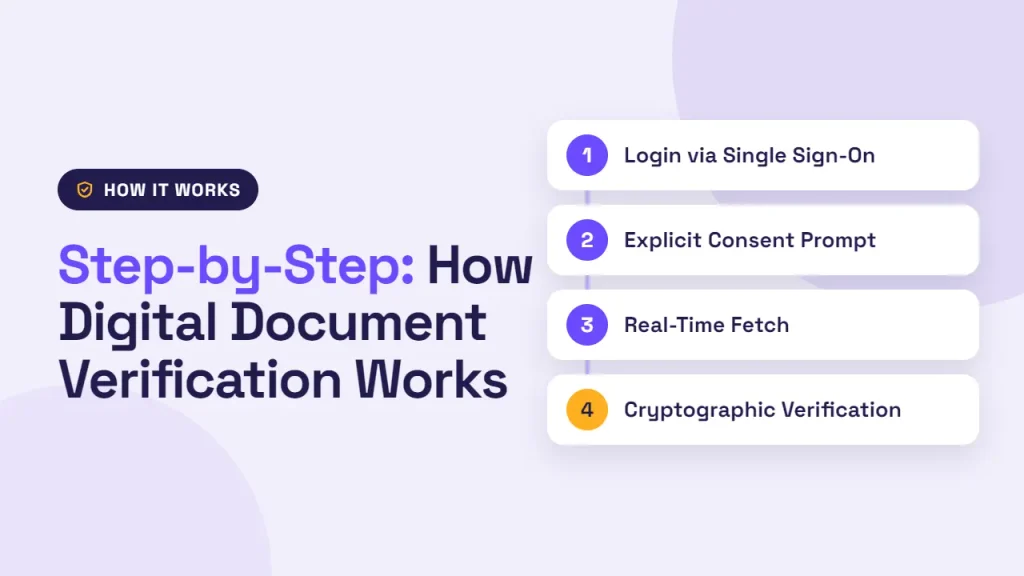
When you share a document from DigiLocker with a bank, employer, or government portal, the process follows four steps:
- Login via Single Sign-On: You sign in on the requester’s portal using MeriPehchaan / DigiLocker SSO (Single Sign-On), which uses OAuth 2.0 and OpenID security standards.
- Explicit Consent Prompt: A consent screen shows you which organization is asking for which document. No information is shared until you actively select Allow.
- Real-Time Fetch: Once you approve, DigiLocker fetches the document’s URI (a unique digital address) or digitally signed record through the API Setu Partner Gateway.
- Cryptographic Verification: The receiving agency checks the issuer’s Digital Signature Certificate (DSC) or scans the document’s QR code. This confirms the record came from the real authority and has not been altered.
Issued Documents vs. Uploaded Documents: A Crucial Difference
Many Indian users accidentally upload a PDF scan of their PAN card or marksheet into DigiLocker and think it has the same legal value as an official digital record. It does not.
| Feature | Issued Documents | Uploaded Documents (DigiLocker Drive) |
|---|---|---|
| Source | Pulled directly from authorized issuers (UIDAI, MoRTH, CBSE, etc.) | Manually scanned and uploaded by you |
| Digital Signature | Digitally signed by the issuing authority using DSC | Not digitally signed by the issuer |
| Legal Validity | Legally valid at par with originals under the IT Act, 2000 | Acts only as personal cloud storage for convenience |
| Best Used For | Traffic checks, KYC, admissions, and official verification | Keeping personal backups of miscellaneous PDFs or receipts |
As DigiLocker’s official guidance clarifies, always share records from the Issued Documents section for official verification.
How Digital Signatures and QR Codes Prevent Tampering
People often wonder how a traffic officer or HR manager knows a DigiLocker document is not an edited screenshot. DigiLocker prevents tampering in two ways:
- Digital Signature Certificates (DSC): Every issued document is cryptographically signed by the issuing department inside its private network. If even a single digit or letter in the PDF is changed, the digital signature check fails right away.
- Spot QR Code Verification: Digital records like your Driving Licence (DL) and Vehicle Registration Certificate (RC) include a secure QR code. According to DigiLocker’s FAQs, authorities can check authenticity on the spot by scanning the QR code with the DigiLocker app or checking the issuer’s digital signature. Because of this, you do not need to carry physical originals while driving.
DigiLocker Security Features, Privacy, and Consent-Based Sharing
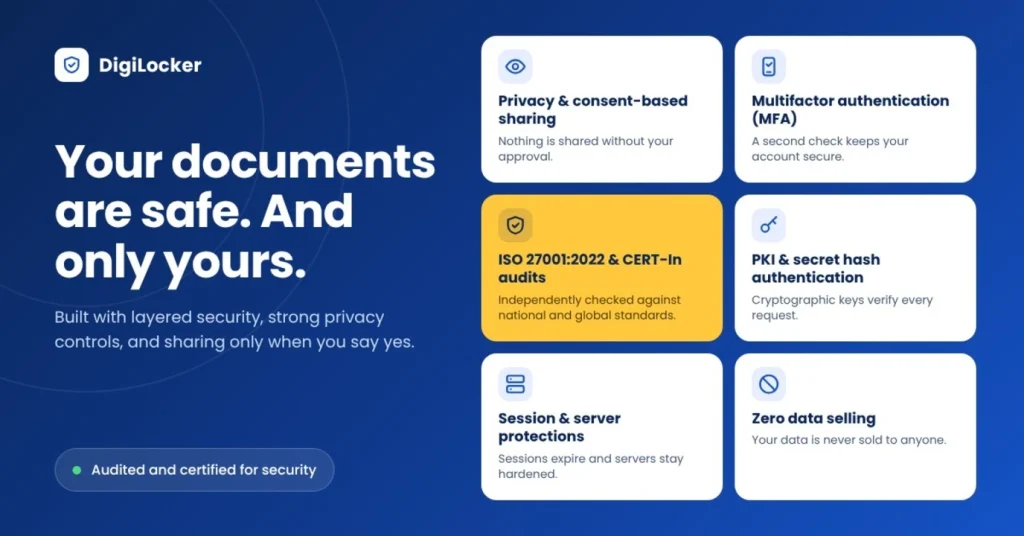
For millions of citizens, the biggest worry is whether linking Aadhaar to DigiLocker puts sensitive records at risk. According to DigiLocker’s Security Architecture, the platform protects your data in several ways:
- Multifactor Authentication (MFA): Signing up and signing in require your mobile OTP or Aadhaar biometric/OTP verification, paired with a 6-digit Security PIN.
- ISO 27001:2022 & CERT-In Audits: The hosting setup meets ISO 27001:2022 information security standards and follows ISO 27034 secure application guidelines. Independent agencies empanelled by CERT-In also audit it regularly.
- PKI & Secret Hash Authentication: Requesters must register and pass strict onboarding checks. To access your data, they need Secret Hash Authentication along with PKI authentication to prove you gave clear consent.
- Session & Server Protections: The platform uses JSON Web Tokens (JWT) to log user activity. It also uses Web Application Firewalls (WAF) and Application Load Balancers (ALB) to block cyber threats, plus timed log-outs that automatically end inactive sessions.
- Zero Data Selling: Per DigiLocker’s official policy statements, DigiLocker acts strictly as a secure middleman. It does not sell or share citizen data with third parties without your verified online consent.
How to Link Aadhaar with DigiLocker (Step-by-Step)
If you have not created an account or linked your Aadhaar yet, follow these steps:
- Visit the official DigiLocker portal or download the official DigiLocker app on Android or iOS.
- Tap Sign Up and enter your full name, date of birth, gender, mobile number, and a 6-digit Security PIN.
- Enter your 12-digit Aadhaar number (or Virtual ID / VID) when asked.
- Complete verification using the OTP sent to your Aadhaar-registered mobile number.
- Once verified, open the Issued Documents tab to view your Digital Aadhaar. From there, you can also search for other issuers, such as your state transport department, PAN Verification Record, or education board.
Common Problems and Practical Fixes
Mobile Number Is Not Linked to Aadhaar
DigiLocker uses UIDAI-based Aadhaar OTP verification for certain services. If your current mobile number is not registered with Aadhaar, or a recent update has not been reflected yet, OTP verification may fail.
Check whether your mobile number is registered with UIDAI. If it needs updating, visit an authorised Aadhaar Seva Kendra and complete the update before trying again.
Forgot Your 6-Digit Security PIN
If you cannot remember your DigiLocker security PIN, you may be unable to complete the normal sign-in process.
Select Forgot Security PIN on the DigiLocker sign-in page. Follow the available Aadhaar verification steps, verify the OTP and create a new security PIN.
Institution Still Asks for a Manual Upload
Some older portals and local offices may not yet support direct DigiLocker document verification. As a result, they may ask you to upload a document manually.
Download the original digitally signed PDF from your Issued Documents section and upload that file instead of submitting a screenshot. This helps preserve its digital signature and verification details.
Frequently Asked Questions (FAQs)
1. Is DigiLocker safe to link with Aadhaar?
Yes. DigiLocker uses multifactor authentication (OTP + 6-digit Security PIN), hosts data in ISO 27001:2022 certified facilities, and undergoes regular CERT-In empanelled security audits. It also requires clear OAuth 2.0 and PKI user consent before sharing any record with a third party.
2. Is Digital Aadhaar in DigiLocker the same as e-Aadhaar?
Yes. According to DigiLocker’s official FAQ, Digital Aadhaar in DigiLocker is the same as the e-Aadhaar issued by UIDAI. It becomes available automatically once you link your Aadhaar to your DigiLocker account.
3. Is DigiLocker mandatory for Indian citizens?
No. DigiLocker is an optional, free government service designed to make storing and sharing verified digital documents easier. However, many universities, transport authorities, and KYC workflows now support or prefer it for faster verification.
4. Can I use DigiLocker without an Aadhaar card?
You can sign up using a mobile number, but linking your Aadhaar (or Virtual ID) is required to fetch your Digital Aadhaar. You also need it to access most Aadhaar-mapped government certificates from the Issued Documents section.
5. Can a person have more than one DigiLocker account?
No. Because DigiLocker accounts are uniquely tied to a person’s Aadhaar number, each citizen can maintain only one Aadhaar-linked DigiLocker account.
Read This Also:
GaN Charger vs Regular Charger: 7 Proven Benefits and Hidden Risks for Indian Buyers (2026)
1 thought on “DigiLocker & Aadhaar: 5 Proven Ways to Stop Risk”